


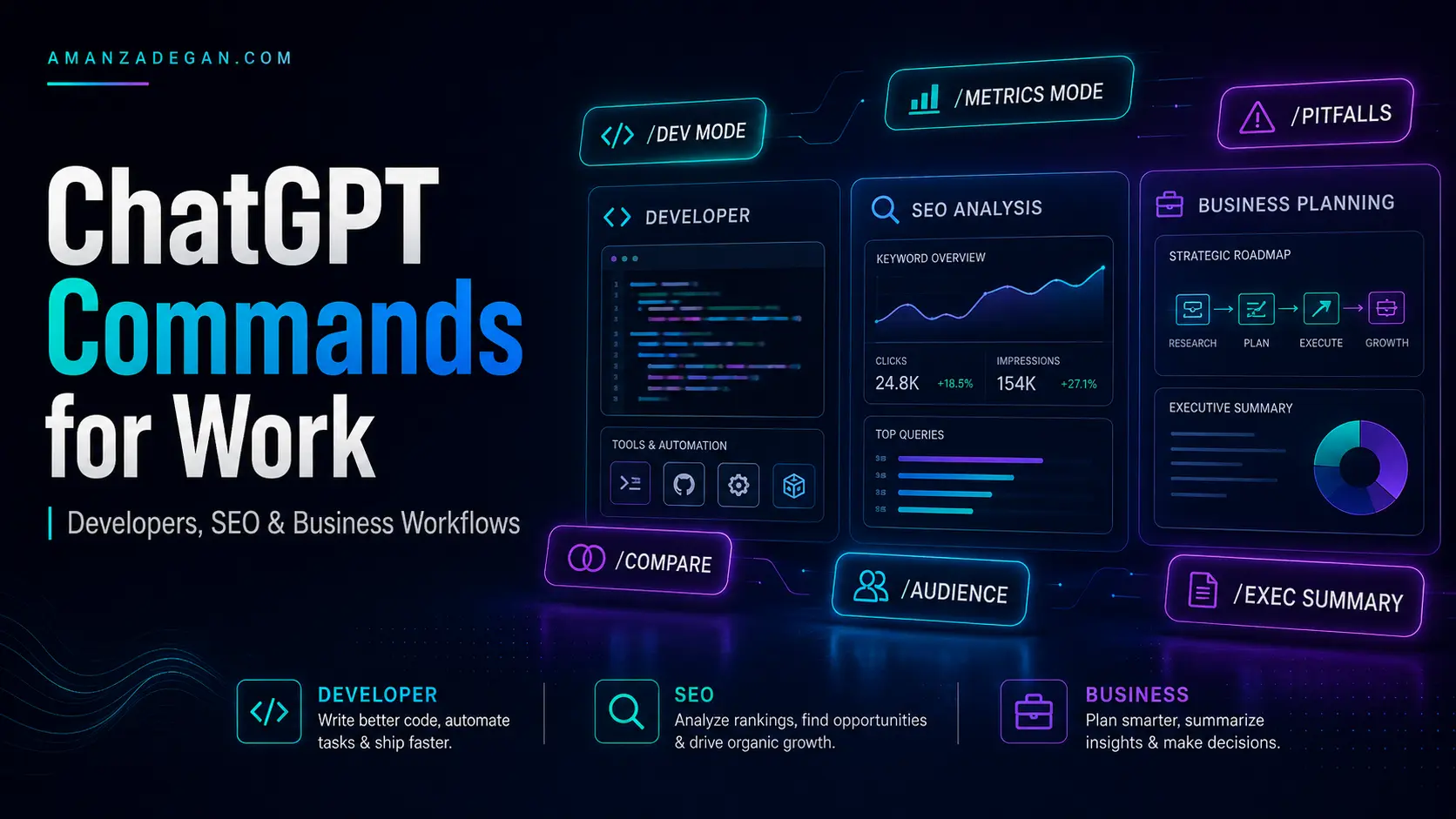

Different users need different ChatGPT command systems. A developer reviewing production code does not need the same prompt as an SEO specialist planning a content cluster or a business owner preparing a client message. The strongest results come from matching the command stack to the workflow.
This guide shows how to use ChatGPT commands for developers, SEO specialists, business owners, project managers, and professional communication. Each section includes practical examples, recommended stacks, and quality checks.
Table of Contents
Quick Summary
| Workflow | Best Commands | Main Output |
|---|---|---|
| Development | /DEV MODE /PITFALLS /METRICS MODE /EVAL-SELF | Code review, architecture review, debugging plan |
| SEO | /AUDIENCE /METRICS MODE /GUARDRAIL /PITFALLS | Content brief, SERP intent review, internal linking plan |
| Business | /SWOT /COMPARE /SECONDORDER /REGRET | Decision analysis and strategic recommendation |
| Project management | /PM MODE /CHECKLIST /PITFALLS | Milestones, dependencies, risks, next actions |
| Communication | /TONE /AUDIENCE /REGRET /EVAL-SELF | Professional email, Slack message, client reply |
Why Professional Workflows Need Different Commands
Generic prompts produce generic answers. Professional work needs constraints, criteria, and review standards. A developer needs edge cases and maintainability. An SEO specialist needs search intent and internal linking. A business owner needs trade-offs, cost, timing, and risk. A client-facing professional needs wording that protects credibility.
The command stack should reflect the job-to-be-done. Instead of asking “make this better,” you define the role, task, context, format, and guardrails.
Commands for Developers
Developers can use ChatGPT for code review, debugging, documentation, architecture, test planning, and refactoring. The best technical prompts focus on correctness, maintainability, performance, edge cases, and production risk.
Developer Command Table
| Command | Use It For | Example |
|---|---|---|
| /DEV MODE | Technical depth | Explain this system without oversimplifying. |
| /debug | Finding bugs | Find why this function fails for empty input. |
| /explain-code | Understanding unfamiliar code | Explain this class and its dependencies. |
| /document | Developer docs | Write README documentation for this module. |
| /comment | Useful comments | Add comments without explaining obvious lines. |
| /PITFALLS | Edge cases | What can fail in production? |
| /METRICS MODE | Acceptance criteria | Define performance and quality gates. |
| /EVAL-SELF | Review quality | Critique the suggested fix before finalizing. |
Production Code Review Prompt
/DEV MODE /PITFALLS /EVAL-SELF /METRICS MODE
Review this code for:
- correctness
- edge cases
- performance
- maintainability
- readability
- security
- testing
- production risk

Return:
1. Critical issues
2. Medium issues
3. Minor improvements
4. Suggested refactor
5. Production-readiness score
Architecture Review Prompt
/DEV MODE /REDTEAM /SECONDORDER /PITFALLS
Review this architecture as a senior engineer and future maintainer. Focus on scaling, coupling, debugging, ownership, deployment, observability, and future refactor cost.
For Unreal Engine, game development, mobile UI, or performance-sensitive systems, add platform context. A prompt that says “review this UI architecture” is weaker than one that mentions engine version, target platform, CommonUI, UMG, Slate, Android constraints, input routing, and team workflow.
Commands for SEO Specialists
SEO work needs more than keywords. A useful SEO prompt should consider search intent, topical coverage, page structure, internal links, trust signals, content depth, conversion, and risky claims.
SEO Command Table
| Command | Use It For | Why It Helps |
|---|---|---|
| /AUDIENCE | Define the searcher | Aligns content with real user intent |
| /METRICS MODE | Define success criteria | Prevents vague SEO advice |
| /PITFALLS | Find SEO risks | Flags cannibalization, thin content, weak structure |
| /GUARDRAIL | Avoid risky claims | Protects credibility and compliance |
| /COMPARE | Competitor or option comparison | Clarifies strategic choices |
| /SCHEMA | Structured data suggestions | Improves technical SEO planning |
SEO Content Brief Prompt
/ROLE:
You are a senior SEO strategist and conversion copywriter.

/TASK:
Create a complete content brief for a WordPress article.

/CONTEXT:
Website: [website]
Audience: [audience]
Main keyword: [keyword]
Secondary keywords: [keywords]
Business goal: [goal]

/FORMAT:
Include search intent, title options, meta description, slug, H2/H3 outline, FAQ, internal links, CTA suggestions, and schema recommendations.

/GUARDRAILS:
Do not keyword-stuff. Do not invent statistics. Prioritize usefulness, trust, and conversion.
SEO Page Audit Prompt
/AUDIENCE: target searcher
/METRICS MODE /PITFALLS /GUARDRAIL
Audit this page for:
- search intent match
- heading hierarchy
- content depth
- internal links
- trust signals
- CTA clarity
- duplicate intent
- thin sections
- risky or unsupported claims
For WordPress specifically, add requirements such as one H1 only, H2/H3 hierarchy, optimized slug, compressed featured image, alt text, schema markup, and plugin compatibility with Yoast or Rank Math.
Commands for Business Owners
Business owners should use commands that improve decision quality. The goal is not just to generate ideas; it is to compare options, expose risks, and choose a practical next step.
Business Decision Prompt
/NO AUTOPILOT /COMPARE /SECONDORDER /REGRET /ANTI_ME
Analyze this business decision.

Context:
[Explain the situation]

Options:
1. [Option A]
2. [Option B]
3. [Option C]

Evaluate based on cost, time, risk, reversibility, brand impact, customer trust, operational complexity, and future regret. End with a clear recommendation.
Service Offer Review Prompt
/REDTEAM /AUDIENCE /PITFALLS
Review this service offer from the perspective of a skeptical customer. Identify missing objections, unclear value, trust gaps, pricing friction, and conversion weaknesses.
Commands for Project Managers
Project management prompts should focus on scope, dependencies, timeline, ownership, risk, and next actions. /PM MODE works best when paired with /CHECKLIST and /PITFALLS.
/PM MODE /CHECKLIST /PITFALLS
Create a project execution plan with milestones, dependencies, owners, risks, blockers, quality gates, and next actions.| PM Need | Useful Command | Output |
|---|---|---|
| Scope clarity | /SCHEMA | Work breakdown structure |
| Execution | /CHECKLIST | Action list |
| Risk | /PITFALLS | Risk register |
| Stakeholder update | /EXEC SUMMARY | Management summary |
| Decision tracking | /COMPARE | Decision matrix |
Commands for Client and HR Communication
Professional messages need a different quality standard. The wording should be clear, credible, respectful, and firm without sounding needy, aggressive, over-explained, or emotionally reactive.
/ROLE:
You are a senior professional communication advisor.

/TASK:
Rewrite this message for [HR/client/manager/bank/professor].

/FORMAT:
Return one concise version and one slightly warmer version.

/GUARDRAILS:
Do not sound weak, desperate, aggressive, emotional, or overly apologetic. Preserve credibility and the relationship.

Message:
[Paste message]
For sensitive messages, add /REGRET to catch wording that may create future problems. Add /EVAL-SELF for a final quality pass.
Workflow Templates
Developer Workflow Template
/DEV MODE /PITFALLS /METRICS MODE /EVAL-SELF
Task: Review this code or architecture.
Context: [Language/framework/platform/team constraints]
Output: issues by severity, recommended fixes, test plan, final readiness score.
SEO Workflow Template
/AUDIENCE /METRICS MODE /GUARDRAIL /PITFALLS
Task: Create or review this content.
Context: [Site, keyword, audience, business goal]
Output: SEO title, meta, slug, outline, content gaps, internal links, FAQ, schema suggestions.
Business Workflow Template
/NO AUTOPILOT /COMPARE /SECONDORDER /REGRET
Task: Analyze this decision.
Context: [Options and constraints]
Output: decision matrix, risks, recommendation, first next step.
Quality Checklist
- Does the prompt define the role clearly?
- Does it include enough context?
- Does it specify the output format?
- Does it include guardrails for risky topics?
- Does it ask for risks or pitfalls when the work matters?
- Does it define measurable criteria where possible?
- Does it end with a usable deliverable?
FAQ
What is the best command for developers?
/DEV MODE is a strong starting point, but it should be paired with /PITFALLS, /METRICS MODE, and /EVAL-SELF for production work.
What is the best command for SEO?
/AUDIENCE and /METRICS MODE are often more useful than a simple keyword command because they connect content to search intent and measurable outcomes.
Can ChatGPT write business messages safely?
It can help, but high-stakes communication needs guardrails. Ask for wording that is clear, firm, respectful, and reputation-safe.
Should I use the same command stack for every task?
No. Match the stack to the workflow. Developer, SEO, business, PM, and communication tasks need different criteria.
Final Takeaway
The best ChatGPT commands are workflow-specific. Developers need production review. SEO specialists need search intent and conversion discipline. Business owners need decision quality. Project managers need execution structure. Professionals need credible communication. Build command stacks around the job, not around random shortcuts.
Cross-Functional Command Stacks
Many real projects are not purely technical, purely SEO, or purely business. A WordPress migration involves hosting, SEO, content, client communication, backups, downtime risk, analytics, redirects, and quality assurance. In such cases, combine commands across disciplines.
Website Migration Stack
/PM MODE /DEV MODE /SEO_REVIEW /PITFALLS /CHECKLIST
Create a website migration plan that covers backups, staging, DNS, SSL, redirects, cache, media, SEO metadata, analytics, performance, rollback, and post-launch checks.
Product Launch Stack
/AUDIENCE /PM MODE /METRICS MODE /REDTEAM /REGRET
Review this launch plan from customer, business, technical, and marketing perspectives. Define success metrics, risks, dependencies, and what we may regret after launch.
Client Proposal Stack
/TONE professional and confident
/AUDIENCE: skeptical client
/REGRET /EVAL-SELF
Rewrite this proposal so it is clear, credible, not overpromising, and focused on business value.
Decision Matrix for Professional Command Use
| Task Type | Avoid This | Use This Instead | Reason |
|---|---|---|---|
| Code review | “Is this good?” | /DEV MODE /PITFALLS /METRICS MODE | Defines technical quality criteria |
| SEO article | “Make SEO better” | /AUDIENCE /SEO_REVIEW /GUARDRAIL | Connects content to intent and trust |
| Client email | “Make this nice” | /TONE /REGRET /EVAL-SELF | Protects relationship and credibility |
| Business plan | “Give feedback” | /REDTEAM /SECONDORDER /COMPARE | Tests assumptions and alternatives |
| Project plan | “Plan this” | /PM MODE /CHECKLIST /PITFALLS | Turns ideas into execution steps |
How to Measure Whether a Command Stack Worked
A professional command stack should produce an output that is more specific, more actionable, and easier to evaluate than a normal prompt. If the output does not change your next action, the command stack was probably too vague.
- Did it identify risks you had not considered?
- Did it separate facts from assumptions?
- Did it produce a usable deliverable?
- Did it include measurable criteria?
- Did it reduce ambiguity?
- Did it improve the decision or only make the answer longer?
Best Practice: Add the Business Goal
Whether the task is coding, SEO, or communication, add the business goal. The same technical solution may be wrong if the goal is speed, maintainability, cost reduction, SEO growth, client trust, or enterprise reliability. Commands work better when they know what success means.
Recommended Next Reading
Continue with the related guides in this content cluster:
- ChatGPT Slash Commands: The Complete Guide to Operators, Shortcuts, and Prompt Modes
- Official ChatGPT Shortcuts: Canvas, Search, Memory, and App Commands Explained
- Advanced ChatGPT Prompt Operators for Better Reasoning and Critical Thinking
- How to Build a Personal ChatGPT Command Library