


AI-BIM in Early-Stage Design: Better Client Decisions Before Detailed Modeling
One of the most important changes in architectural technology is happening before detailed BIM modeling begins.
Traditionally, early-stage design has been fast, visual, and flexible, while BIM has been detailed, structured, and slower to modify. Architects often begin with sketches, diagrams, massing models, references, and client conversations. BIM enters later when the project becomes more defined.
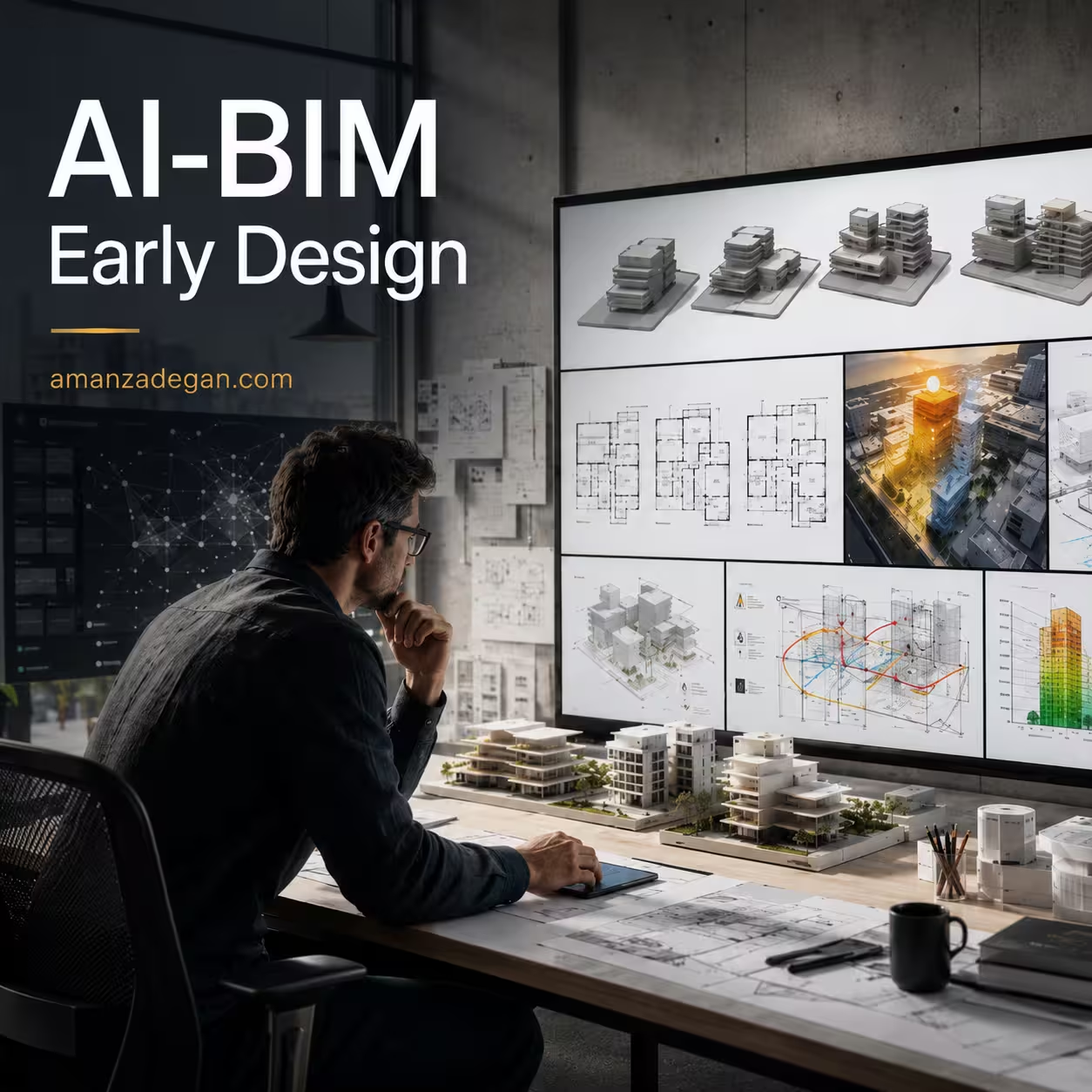
AI-BIM workflows are challenging that separation. The new direction is clear: architects want early design tools that are flexible enough for concept exploration but intelligent enough to evaluate performance, constraints, and client priorities before expensive decisions are locked in.
Why Early Design Matters So Much
The early design stage is where a project’s most important decisions are made: site orientation, massing, program distribution, circulation logic, unit mix, daylight strategy, envelope direction, structural assumptions, carbon implications, spatial experience, and client priorities.
Once a project moves into detailed modeling, changing these decisions becomes more expensive. This is why early design needs better intelligence.
The Problem with Traditional Concept Workflows
Concept design often has two weaknesses. First, it can be too subjective. A design may look strong visually but lack performance evidence. Second, it can be disconnected from later BIM workflows. A massing study may not easily transfer into documentation, analysis, or coordination.
AI-BIM workflows can reduce this gap by linking early design exploration with structured data, performance metrics, and downstream modeling.
What AI-BIM Adds to Concept Design
AI-BIM in early-stage design can support rapid generation of layout alternatives, massing studies based on site constraints, daylight and solar access analysis, preliminary carbon estimation, density and area optimization, client preference mapping, adjacency analysis, circulation comparison, scenario-based decision-making, and early feasibility checks.
This is a meaningful shift. AI is becoming less of an image generator and more of a decision-support layer.
From More Options to Better Options
A common misunderstanding about generative design is that more options automatically mean better design. In reality, hundreds of options can create confusion if they are not evaluated through clear criteria.
A useful AI-BIM workflow should not ask how many versions can be generated. It should ask which options best satisfy the project’s architectural, environmental, functional, and client-specific goals.
Useful Early-Stage Metrics
- Net-to-gross ratio
- Daylight exposure
- Solar gain
- View quality
- Circulation efficiency
- Privacy gradient
- Program adjacency
- Embodied carbon estimate
- Construction complexity
- Future flexibility
AI-BIM and Client Communication
One of the most practical benefits of AI-BIM is improved client communication. Clients often struggle to understand abstract plans, technical diagrams, or BIM terminology. AI-assisted workflows can help translate design data into visual scenarios, comparative diagrams, and clear decision narratives.
A client does not need to understand every model parameter. But they can understand that one option has better daylight, another has more efficient circulation, and another reduces estimated carbon while creating a different spatial trade-off.
Early-Stage AI-BIM Decision Matrix
| Design question | AI-BIM support | Architectural judgment required |
|---|---|---|
| Which massing option works best? | Generate and compare massing scenarios | Evaluate identity, context, and spatial quality |
| Which layout is more efficient? | Analyze area, adjacency, and circulation | Confirm usability and lived experience |
| Which option has better daylight? | Run early solar/daylight analysis | Balance light, heat gain, privacy, and façade expression |
| Which option is more sustainable? | Estimate carbon and energy implications | Decide acceptable trade-offs |
| Which option should move into BIM? | Rank options by defined criteria | Select based on design intent and project risk |
Performance Feedback Before Commitment
Early performance feedback is one of the strongest reasons to integrate AI with BIM. Instead of waiting for late-stage analysis, architects can evaluate design consequences while the project is still flexible.
The value is not just speed. The value is timing. A daylight insight in schematic design can shape the architecture. A daylight report after design freeze may only document a problem.
Generative Design and Human Direction
AI-assisted early design should be directed by architectural intent. A weak workflow gives the AI a vague instruction and accepts whatever looks attractive. A strong workflow defines site conditions, program requirements, spatial hierarchy, environmental goals, regulatory constraints, client priorities, evaluation criteria, and design values.
The architect’s role is to frame the problem.
Why This Is Not Just Visualization
Many architects first encounter AI through images. Text-to-image tools are useful for mood, atmosphere, and early storytelling, but AI-BIM is more than visualization.
AI-BIM connects design exploration to building information. It can help answer whether a layout is spatially efficient, whether rooms are correctly classified, how a massing option performs, and whether the concept can move into detailed BIM without starting over.
Risks in Early-Stage AI-BIM
Premature precision
Early metrics may appear exact even when assumptions are still rough.
Design flattening
If optimization criteria are too narrow, outputs may become generic.
Client overconfidence
Clients may treat AI-generated options as final design proposals.
Tool bias
The software may privilege what it can measure over what matters architecturally.
A Better Early-Stage AI-BIM Workflow
- Define the design question.
- Identify measurable and non-measurable criteria.
- Generate a limited number of meaningful options.
- Evaluate each option through both metrics and critique.
- Create a clear client-facing comparison.
- Select one or two options for refinement.
- Transfer structured information into BIM.
- Document assumptions and limitations.
The Personal Brand Opportunity
For a professional profile positioned around architecture, BIM, AI, and digital design, early-stage AI-BIM is a strong thought leadership topic. It shows that technology is not being used for superficial trend-following, but for improving the quality of decisions.
Clients and collaborators are not only looking for beautiful images. They want evidence, clarity, efficiency, and confidence. AI-BIM can support all four, but only when guided by architectural intelligence.
Conclusion
AI-BIM in early-stage design is not about replacing the architect’s intuition. It is about giving intuition better feedback.
When used well, AI-BIM helps architects test more scenarios, communicate more clearly with clients, and move from concept to detailed BIM with less information loss.
FAQ
What is AI-BIM in early-stage design?
It is the use of AI-assisted tools and BIM-related data to evaluate concept options before detailed modeling begins.
Does AI-BIM replace schematic design?
No. It supports schematic design by generating options, evaluating trade-offs, and improving communication.
Why is early-stage AI analysis useful?
Because major project decisions are made early, when changes are still easier and less expensive.
Can AI-BIM improve client communication?
Yes. It can translate design options into clearer visual and performance-based comparisons.
References
- Bagasi, O. BIM and AI in Early Design Stage: Advancing Architect–Client Communication. Buildings. https://www.mdpi.com/2075-5309/15/12/1977
- Autodesk. Building Layout Explorer in Forma Site Design. https://adsknews.autodesk.com/en/news/building-layout-explorer-in-autodesk-forma/
- Autodesk. Introducing Forma Building Design. https://adsknews.autodesk.com/en/news/autodesk-design-and-make-intelligence/
- Autodesk. How AI in architecture is shaping the future of design and construction. https://www.autodesk.com/design-make/articles/ai-in-architecture
- Yang, Y., et al. Research Progress and Frontier Trends in Generative AI in Architectural Design. https://www.mdpi.com/2075-5309/16/2/388