


Best AI Rendering and Visualization Tools for Architects
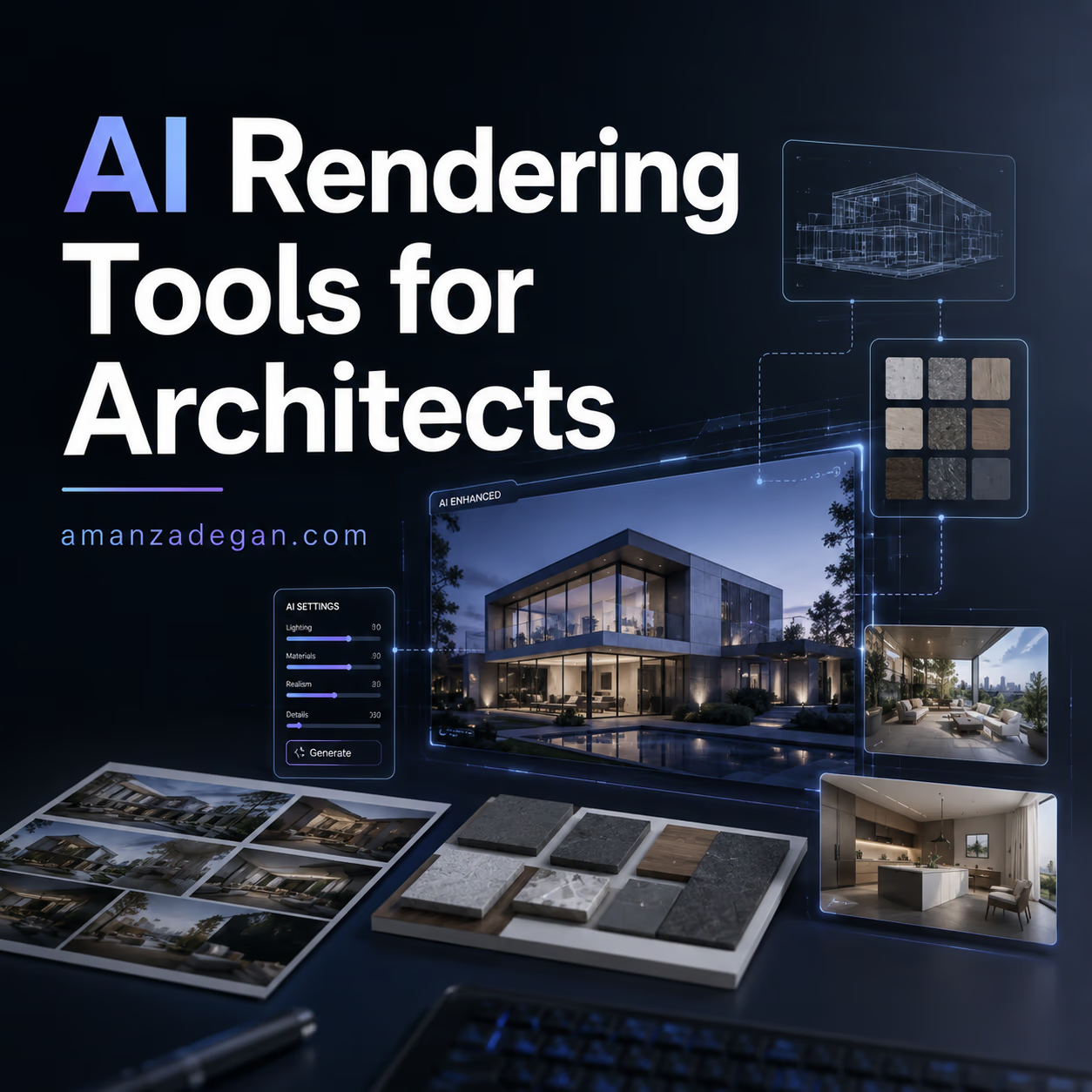
AI rendering is the easiest part of artificial intelligence in architecture to notice. A rough model becomes atmospheric. A sketch becomes a concept image. A dull view becomes client-friendly in minutes. That is why architects adopted AI visualization so quickly.
But speed can be misleading. A beautiful image is not always a good architectural image. It may change the design, invent details, distort proportions, hide technical problems, or create a mood that the project cannot actually deliver. The real question is not “which AI tool makes the prettiest render?” The better question is: which AI rendering tool fits the architectural workflow you actually use?
This guide compares AI rendering and visualization tools in 2026 from an architect’s point of view: Veras, Midjourney, LookX, D5 Render AI features, Photoshop Generative Fill, Krea, Magnific, Gendo-style workflows, and traditional engines such as V-Ray/Chaos when combined with AI.
For more visual and design-related work, see the Amanzadegan portfolio, Digital Architecture, and the AI Articles section.
The Main Types of AI Rendering Tools
Not every AI visualization tool solves the same problem. Some start from text. Some use an existing 3D model. Some improve a render. Some help with mood boards. Some are better for concept design, while others are safer for client-facing production.
| Tool type | Best for | Example tools | Professional risk |
|---|---|---|---|
| Text-to-image | Mood, atmosphere, fast concept exploration | Midjourney, DALL·E-style tools | Can ignore real geometry and project constraints |
| Model-based AI rendering | Using existing BIM/3D views as a base | Veras, LookX, Forma-connected tools | May still modify design details unexpectedly |
| Render enhancement | Improving existing outputs, materials, lighting, resolution | Krea, Magnific, Photoshop, Topaz-style tools | Can over-polish or alter design intent |
| Real-time rendering with AI support | Client walkthroughs, fast design review | D5 Render, Enscape, V-Ray/Chaos workflows | Needs model quality and visualization discipline |
| Post-production AI | People, sky, background, cleanup, variations | Photoshop Generative Fill, Firefly, Krea | Can create unrealistic context or misleading scenes |
Veras: AI Rendering Inside the Design Tool
Veras is important because it works close to the architect’s model. It is an AI-powered visualization app that plugs into design authoring tools such as Revit, SketchUp, Rhino, Vectorworks, Archicad, and Forma. That makes it different from pure text-to-image workflows.
For architects, this is a big advantage. When the AI starts from your model, it has a better chance of respecting massing, camera angle, proportions, and composition. It is not perfect, but it is closer to design workflow than asking a generic image model to invent a building from words.
Best use cases for Veras
- early design atmosphere from a Revit or SketchUp model;
- material and style exploration;
- client mood options without rebuilding the model;
- testing facade direction quickly;
- visualizing unfinished geometry for discussion.
Midjourney: Powerful Mood, Weak Control
Midjourney remains one of the strongest tools for atmosphere, composition, and visual imagination. For architects, it is excellent when the goal is to explore mood, style, lighting, or a design language before the geometry is fixed.
But it is not a reliable architectural documentation tool. It may invent stairs, windows, impossible structures, inconsistent plans, and beautiful but unbuildable details. I would use Midjourney for visual research, not for final design proof.
Use Midjourney when:
- you need quick mood boards;
- you want to explore atmosphere before modeling;
- you are searching for a visual language;
- you want to communicate a conceptual feeling.
Avoid relying on it when:
- the model geometry must stay exact;
- you need repeated views of the same design;
- the client may mistake the image for a resolved proposal;
- construction or code accuracy matters.
LookX and Architecture-Specific Image Workflows
Architecture-focused image tools such as LookX are designed with architectural visualization in mind. Their value is usually in style transfer, concept visualization, and turning sketches or simple masses into more developed images. They can be useful for competitions, concept boards, and early-stage client discussions.
The key question is control. If the tool respects your input geometry and lets you guide style, it becomes useful. If it constantly changes the design, it becomes an inspiration tool rather than a workflow tool.
D5 Render, Enscape, V-Ray and AI-Assisted Visualization
Traditional rendering tools are not disappearing. In fact, AI makes them more important. A controlled 3D model, good materials, accurate lighting, and a disciplined camera are still the foundation of professional visualization.
AI becomes valuable around the edges:
- faster atmosphere testing;
- material variations;
- background and entourage generation;
- image cleanup;
- upscaling;
- client-friendly presentation options.
Chaos compared AI architectural rendering tools in 2026 and highlighted how different tools serve different workflow needs. This is the correct way to think about the market. There is no one universal rendering AI.
Photoshop Generative Fill: Small Edits, Big Value
Sometimes the best AI tool is not the one that creates the whole image. It is the one that fixes small problems quickly. Photoshop-style generative editing is useful for:
- removing unwanted objects;
- extending backgrounds;
- adding people or vegetation carefully;
- testing sky and light mood;
- cleaning presentation boards.
This is often safer than generating a whole architecture image from scratch because the base render remains under the designer’s control.
A Practical AI Rendering Workflow
Here is the workflow I would recommend for most architectural studios:
- Start with a real model. Even a simple SketchUp, Revit, Rhino, or massing model gives the AI something to respect.
- Generate mood directions. Use AI for atmosphere, not final decisions.
- Choose one visual direction. Do not chase endless variations.
- Return to the model. Update geometry, materials, facade logic, and lighting intentionally.
- Render with a controlled engine. Use D5, Enscape, V-Ray, or another production tool.
- Use AI for post-production. Clean, enhance, extend, and refine.
- Check against the design. Make sure the image did not lie.
How to Evaluate AI Render Quality
| Criterion | Question to ask | Why it matters |
|---|---|---|
| Geometry respect | Did the AI preserve the actual design? | Prevents misleading client images |
| Material logic | Do materials make construction sense? | Avoids fake or impossible surfaces |
| Scale | Do people, furniture, doors and windows feel correct? | Protects architectural credibility |
| Repeatability | Can the same design appear from multiple views? | Needed for real presentations |
| Editability | Can the result be corrected? | Important for deadlines and client feedback |
| Honesty | Does the image promise something the project cannot deliver? | Protects trust |
The Biggest Mistake: Confusing Beauty With Resolution
AI can make an unresolved design look finished. That is dangerous. A dramatic dusk render can hide bad circulation. A beautiful facade can hide weak proportions. A perfect interior mood can hide the fact that the plan does not work.
Use AI rendering to accelerate exploration, but do not let it decide architecture for you.
FAQ
What is the best AI rendering tool for architects?
For model-based workflows, Veras is one of the most relevant because it connects to tools architects already use. For mood exploration, Midjourney and LookX-style tools are useful. For production, traditional rendering engines plus AI post-production are often safer.
Can AI replace architectural visualization artists?
No. It changes the workflow, but strong visualization still needs composition, lighting, material knowledge, storytelling, and design judgment. AI can make images faster, but it does not automatically make them architecturally honest.
Should I show AI renders to clients?
Yes, if they are clearly presented as concept visuals or mood studies. Avoid showing AI-generated images as if they are final design documents.
What is the safest AI rendering workflow?
Start from a real model, use AI for mood or enhancement, then verify that the output still matches the design. Model-based AI workflows are usually safer than pure text-to-image for professional projects.
Final Advice
The best AI rendering workflow is not the fastest one. It is the one that keeps enough control for architecture to remain architecture. Use AI to explore. Use your model to control. Use your judgment to decide.
Question: Would you rather have an AI tool that creates more beautiful images, or one that preserves your model more accurately?
Which Tool Should You Use for Which Project?
The right rendering workflow depends on the project stage. A competition concept, a private villa, a commercial interior, and a permit presentation do not need the same level of visual freedom.
| Project situation | Better AI approach | Reason |
|---|---|---|
| Early concept with no fixed geometry | Midjourney or LookX-style mood exploration | You need atmosphere and visual direction before modeling |
| Design already modeled in Revit or SketchUp | Veras or model-based AI rendering | You need the AI to respect the existing design |
| Interior design presentation | Controlled render + Photoshop AI cleanup | Material, furniture and lighting consistency matter |
| Developer presentation | Real-time renderer + limited AI post-production | The image must remain believable and tied to the proposal |
| Portfolio image | Hybrid AI enhancement | You can refine mood while still preserving authorship |
My Rule for Client Images
If an AI image changes the architecture, I do not treat it as a render. I treat it as a reference. That distinction is important. A reference image can inspire the team. A render can shape client expectations. Mixing those two can create trust problems.
Before showing an AI-assisted image to a client, check four things:
- Did the AI change the design? Windows, doors, ceiling heights, facade modules, stairs and balconies must be checked.
- Did it add expensive or impossible materials? AI loves dramatic surfaces.
- Is the scale believable? People, furniture and openings often reveal mistakes.
- Is the image labelled correctly? Concept mood, design option, or final render should not be confused.
A Better Use: AI as Visual Redline
One interesting workflow is to use AI images as a way to redline the design visually. Generate a few variations, then ask the team what they prefer: warmer materials, deeper shadows, more vertical rhythm, less visual noise, clearer entrance, softer landscape. The AI image becomes a discussion surface.
After that, return to the real model and make intentional design changes. Do not simply copy the AI output. Translate the useful idea back into architecture.
How to Keep a Consistent Visual Language
One problem with AI rendering is inconsistency. One image may look minimal and Scandinavian, the next cinematic and dark, the next futuristic and unrealistic. For a real project, this weakens the presentation.
To keep consistency, create a small visual guide before generating images:
- preferred material palette;
- lighting mood;
- camera height;
- people and landscape style;
- level of realism;
- what the AI is not allowed to change.
Then reuse that guide across all image prompts and post-production steps. This makes the AI behave more like a controlled visualization assistant instead of a random mood machine.